
Chrome extension for ChatGPT, Claude and Gemini
Save your AI chats as clean Markdown
TalkPorter exports ChatGPT, Claude and Gemini conversations to Markdown in one click — code blocks, tables and lists intact. Your chats never leave your browser.
Unlimited free Markdown exports · No account needed · Runs locally
Why TalkPorter
Keep the good answers. Put them where you actually work.
One-click export
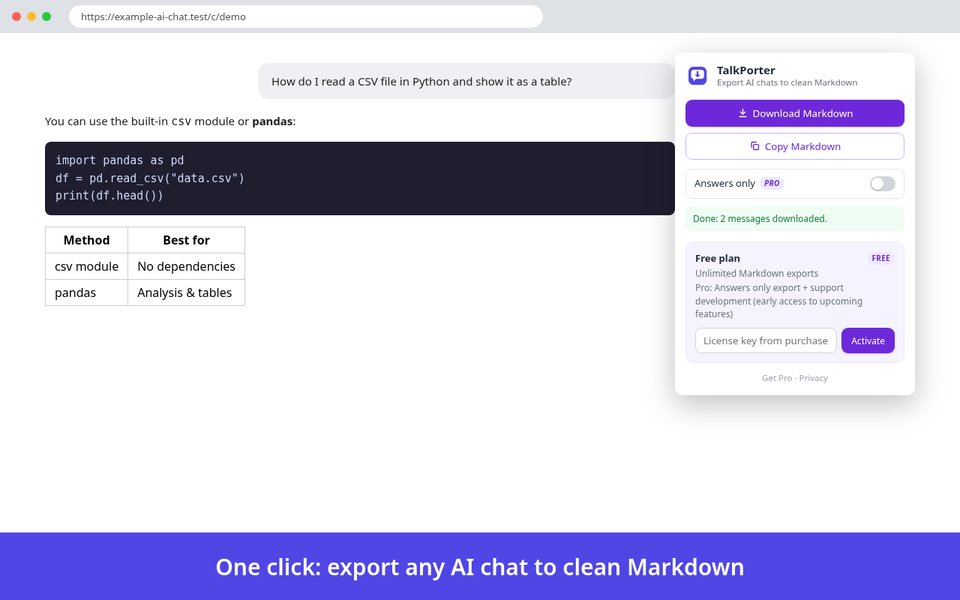
Download a .md file or copy Markdown to your clipboard straight from the popup.
Formatting intact
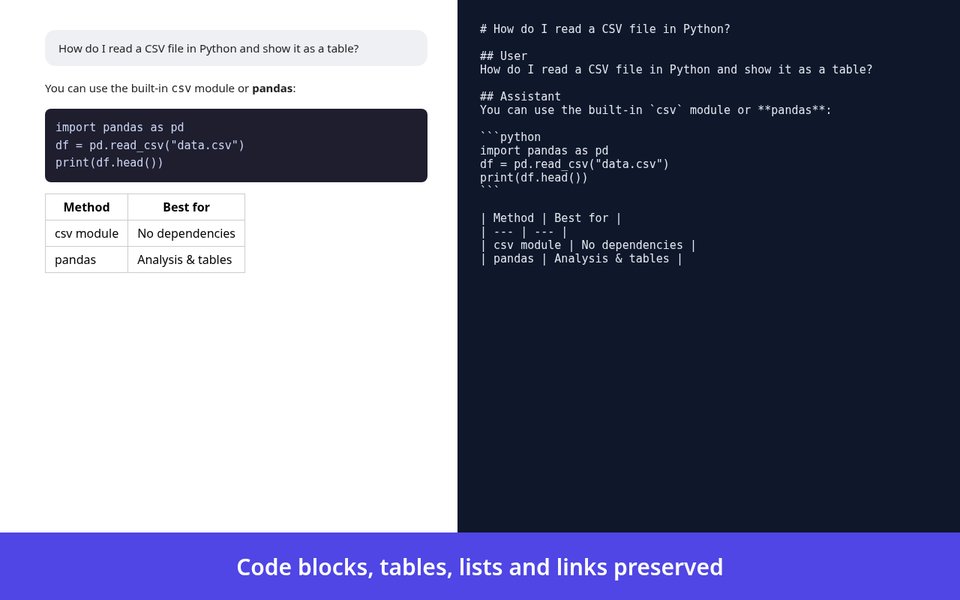
Code blocks, tables, lists and headings come out as proper Markdown.
Ready for your notes
Paste into Obsidian, Notion, GitHub or any Markdown editor.
Private by design
Exports are generated locally. Conversation content is never sent anywhere.
How it works
Three steps, a few seconds.
Open a conversation
Go to any chat on ChatGPT, Claude or Gemini.
Click the TalkPorter icon
The popup opens right on top of the page.
Download or copy
Save a .md file, or copy the Markdown to your clipboard.
Supported platforms
Works on the web versions of the three major AI assistants.
ChatGPT
chatgpt.com · chat.openai.com
Claude
claude.ai
Gemini
gemini.google.com
For desktop Chrome. AI sites change their pages from time to time; if an export looks wrong, please let us know.
Free and Pro
Markdown export is free and unlimited. Pro is a one-time payment, not a subscription.
Free
No account needed
- Markdown download (.md)
- Copy Markdown to clipboard
- Unlimited exports on ChatGPT, Claude and Gemini
Pro
See checkout for the current price. No subscription.
- Everything in Free
- “Answers only” export
- Use on up to 3 devices
Secure checkout by Creem.
| Free | Pro | |
|---|---|---|
| Markdown download (.md) | ✓ | ✓ |
| Copy Markdown to clipboard | ✓ | ✓ |
| Unlimited exports on ChatGPT, Claude and Gemini | ✓ | ✓ |
| “Answers only” export | — | ✓ |
| Devices per license | — | Up to 3 |
| Export to Obsidian Upcoming | — | Upcoming |
| Export to PDF Upcoming | — | Upcoming |
| Batch export (ChatGPT) Upcoming | — | Upcoming |
Upcoming features are in development, have no release date and are not part of the current version.
How to activate Pro
Just bought a license? Here is what to do next.
🎉 Thanks for your purchase!
Your license key is shown on the checkout confirmation and sent to the email you used at checkout. Follow the steps below to unlock Pro.
Install TalkPorter
Add the extension to Chrome and pin it to your toolbar.
Copy your license key
Find it on the confirmation page or in your purchase email.
Open the popup
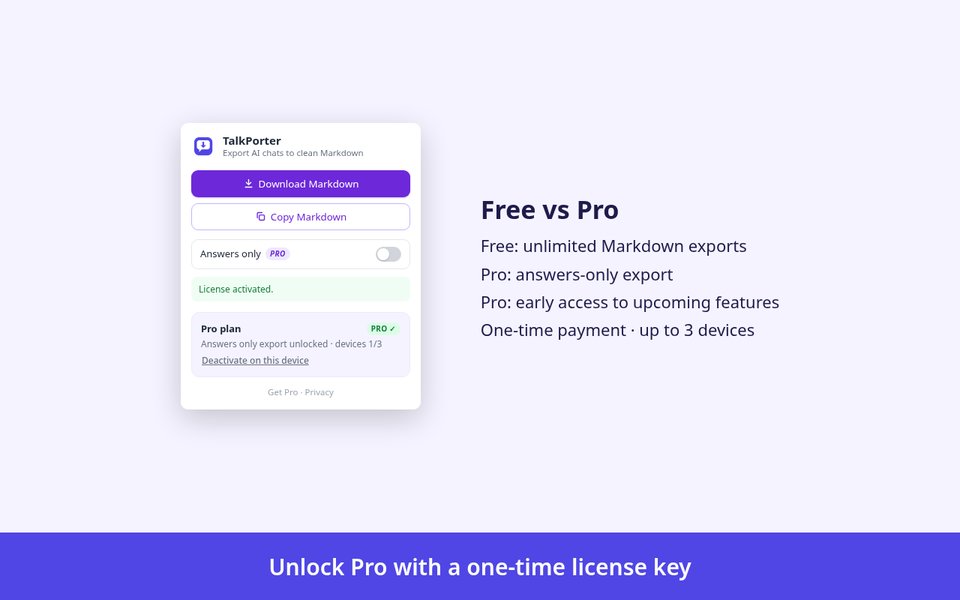
Click the TalkPorter icon, paste the key into the license field and click Activate.
You're Pro
The popup shows a green PRO badge. Use the key on up to 3 devices.
Privacy and trust
What TalkPorter does, and doesn't do, with your data.
- Exports are generated locally in your browser.
- Conversation content is never uploaded to us or anyone else.
- No analytics or tracking, in the extension or on this website.
- Network access is used only to verify a Pro license key.
- An independent tool, not affiliated with OpenAI, Anthropic or Google.
- Payments and license keys are handled by Creem (creem.io) as Merchant of Record.
FAQ
Which sites are supported?
ChatGPT (chatgpt.com, chat.openai.com), Claude (claude.ai) and Gemini (gemini.google.com), in desktop Chrome.
Is TalkPorter really free?
Yes. Downloading and copying Markdown is free, with no export limit and no account. Pro adds extra options for a one-time payment.
Do you see my chats?
No. Exports are generated locally in your browser and conversation content never leaves it.
Does the extension connect to the internet?
Only for license verification: when you activate, and about once every 24 hours afterwards, your license key and a random device identifier are checked with our server. No conversation content is sent. See the Privacy Policy.
What does Pro include today?
Pro currently unlocks “Answers only” export, which saves just the AI's replies. Each license works on up to 3 devices. Export to Obsidian, export to PDF and batch export are upcoming: they are in development, have no release date and are not part of the current version.
How much does Pro cost?
Pro is a one-time payment, not a subscription. The current price is shown at checkout.
How do I activate my license key?
Open the TalkPorter popup, paste your key into the license field and click Activate. Each license works on up to 3 devices; use Deactivate in the popup to free a device.
How are payments handled?
Payments are processed by Creem (creem.io) as Merchant of Record. See our Terms of Service.
Not affiliated with OpenAI, Anthropic or Google.
Need help? Email hello@hezien.com